
Documentation
Order Confirmation
The confirmation screen and live order tracker.
Order Confirmation
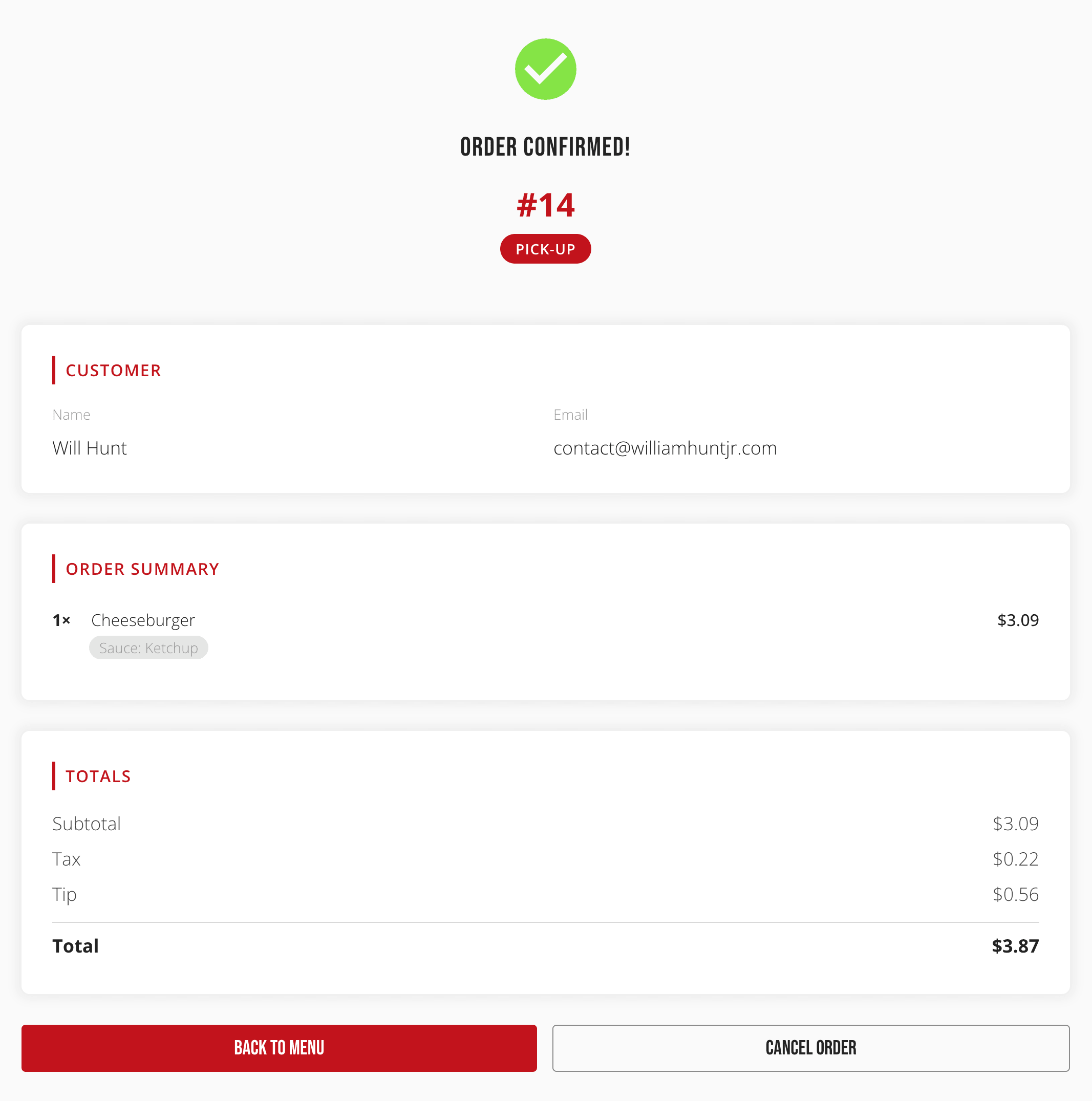
After paying, the customer lands on an Order Confirmed! page showing their order number, order type, customer details, a full item and totals breakdown, and a link to the Refund Policy.
Cash orders
A cash order shows a notice instead: pay at the window when you arrive, with the amount due, and a reminder that unpaid cash orders are automatically cancelled after a set hold time.
Cancelling an order
While an order is still Confirmed or Awaiting Payment, a Cancel Order button lets the customer cancel it themselves, with a confirmation step. A card payment is refunded automatically; a cash order simply never gets charged. Once the kitchen has started it, cancelling is no longer available here.
The order tracker
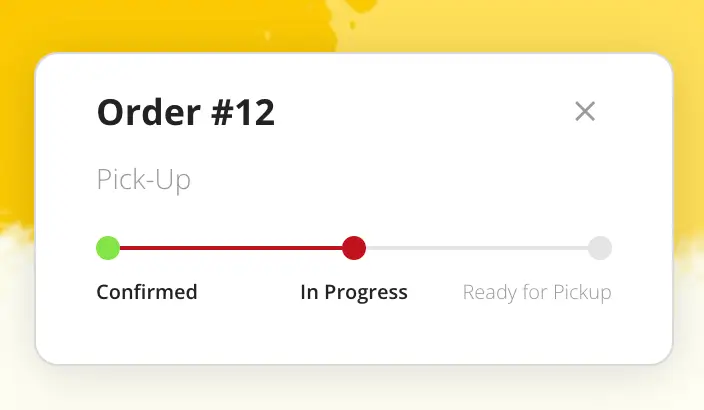
A small floating widget stays visible across the storefront after an order is placed, showing its status as a row of steps — Confirmed, In Progress, Ready for Pickup — so a customer can keep browsing or step away without losing track of their order. It updates automatically, shows the cash-order waiting notice when relevant, and can be dismissed.
No order found
Navigating here directly, without a recent order, shows a short message pointing back to the menu instead of a confirmation.