
Documentation
Order Types
Enable Pick-Up ordering, and reserve Dine-In for later.
Order Types
Pick-Up is the order type your GrubStack Web storefront and GrubStack Kiosk offer customers today. A second order type, Dine-In, also appears on this page — it's part of the groundwork for an in-person ordering experience that isn't available to customers yet, so enabling it here doesn't change anything they see.
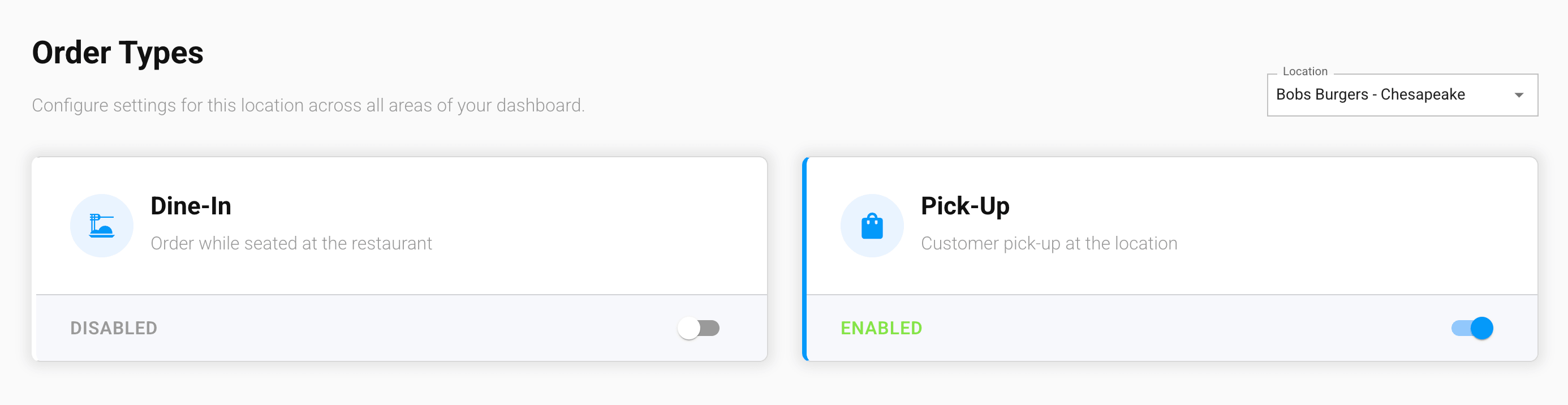
Enabling an order type
Each order type appears as its own card. Use the toggle to enable or disable it for this location — enabling it adds it immediately, disabling removes it.
At least one order type must be enabled for customers to be able to place an order at this location.
Dine-In requires the GrubStack Kiosk add-on
Without the GrubStack Kiosk add-on, the Dine-In card is locked and shows a Purchase Addon button. With the add-on, you can enable Dine-In per location — doing so reserves it for when an in-person ordering experience becomes available, rather than changing your storefront or kiosk now.
Where this connects
Each enabled order type gets its own schedule on the Working Hours page, even one like Dine-In that doesn't have a customer-facing use yet.