
Documentation
Creating a Promo Code
Step-by-step guide to creating a promo code.
Creating a Promo Code
Click New Code to open the promo code form.
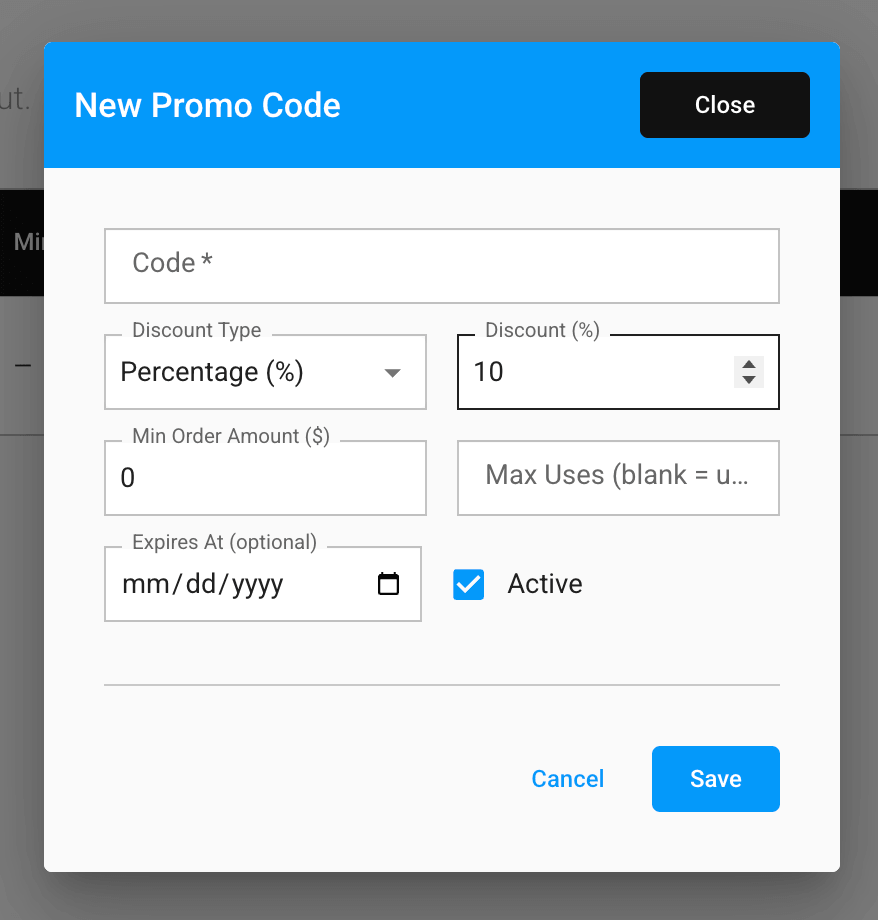
Fields
- Code → the code customers enter at checkout, required, automatically uppercased
- Discount Type → Percentage (%) or Fixed Amount ($)
- Discount → the discount amount, as a percentage (capped at 100%) or a dollar amount, depending on the type chosen
- Min Order Amount ($) → the minimum subtotal required for the code to apply; leave at 0 for no minimum
- Max Uses → the total number of times the code can be redeemed; leave blank for unlimited uses
- Expires At → an optional date after which the code can no longer be used
- Active → whether the code can currently be applied; uncheck to disable a code without deleting it
Click Save to create the code, or Cancel to discard it. The same form is used to edit an existing code from the table.