
Documentation
Build a Variety
Step-by-step guide to building a new variety.
Build a Variety
Define the choices customers pick from for this variety group — like Small, Medium, and Large, or a list of flavors.
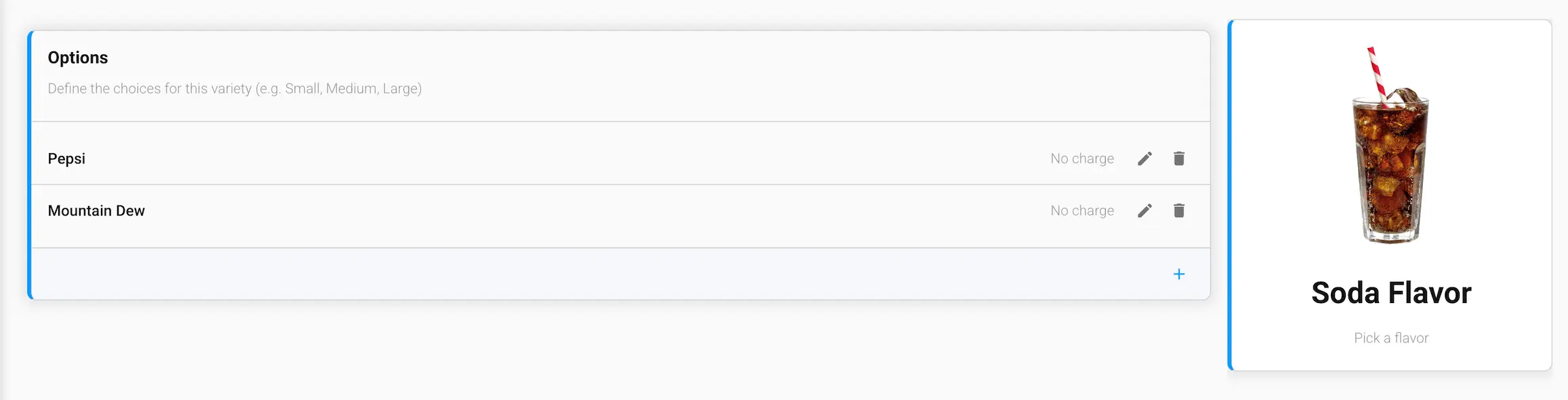
Options
Each option has:
- Name — the choice customers see, e.g. "Pepsi" or "Large"
- Price Modifier — an amount added to or subtracted from the item's price when this option is selected, or "No charge" if it doesn't affect price
- Image — an optional picture chosen from your Media Library. On the GrubStack Kiosk, each option is shown as a large card, and a photo makes it much easier for customers to choose. Options without an image are shown as text-only cards
Click the + at the bottom of the list to add a new option, or use the edit and delete icons on an existing option.