
Documentation
Confirmed
Orders awaiting preparation.
Confirmed
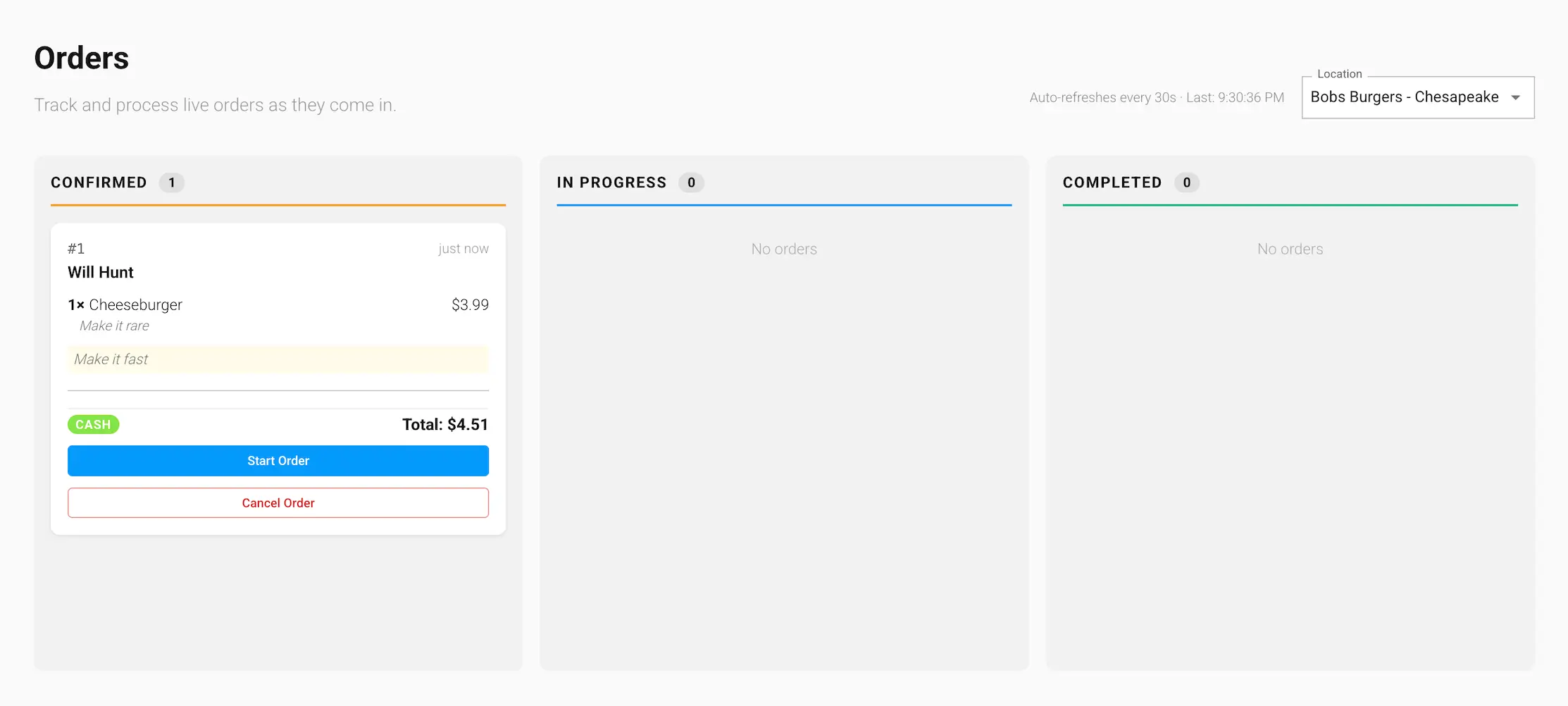
Newly placed and paid orders land here first, awaiting preparation. Cash orders arrive here once you've marked them as paid on the Awaiting Payment column.
Starting an order
Click Start Order to move the order into In Progress once you begin preparing it.
Cancelling an order
While an order is still Confirmed, you can cancel it:
- For card and other online payments, click Cancel & Refund to cancel the order and refund the customer's payment. You'll be asked to confirm the refund amount before it's processed.
- For cash orders, click Cancel Order to cancel it — there's no payment to refund.
Cancelling cannot be undone. Once an order moves past Confirmed into In Progress, it can no longer be cancelled from the dashboard.