
Documentation
Setup Wizard
Guided onboarding for configuring your first location.
Setup Wizard
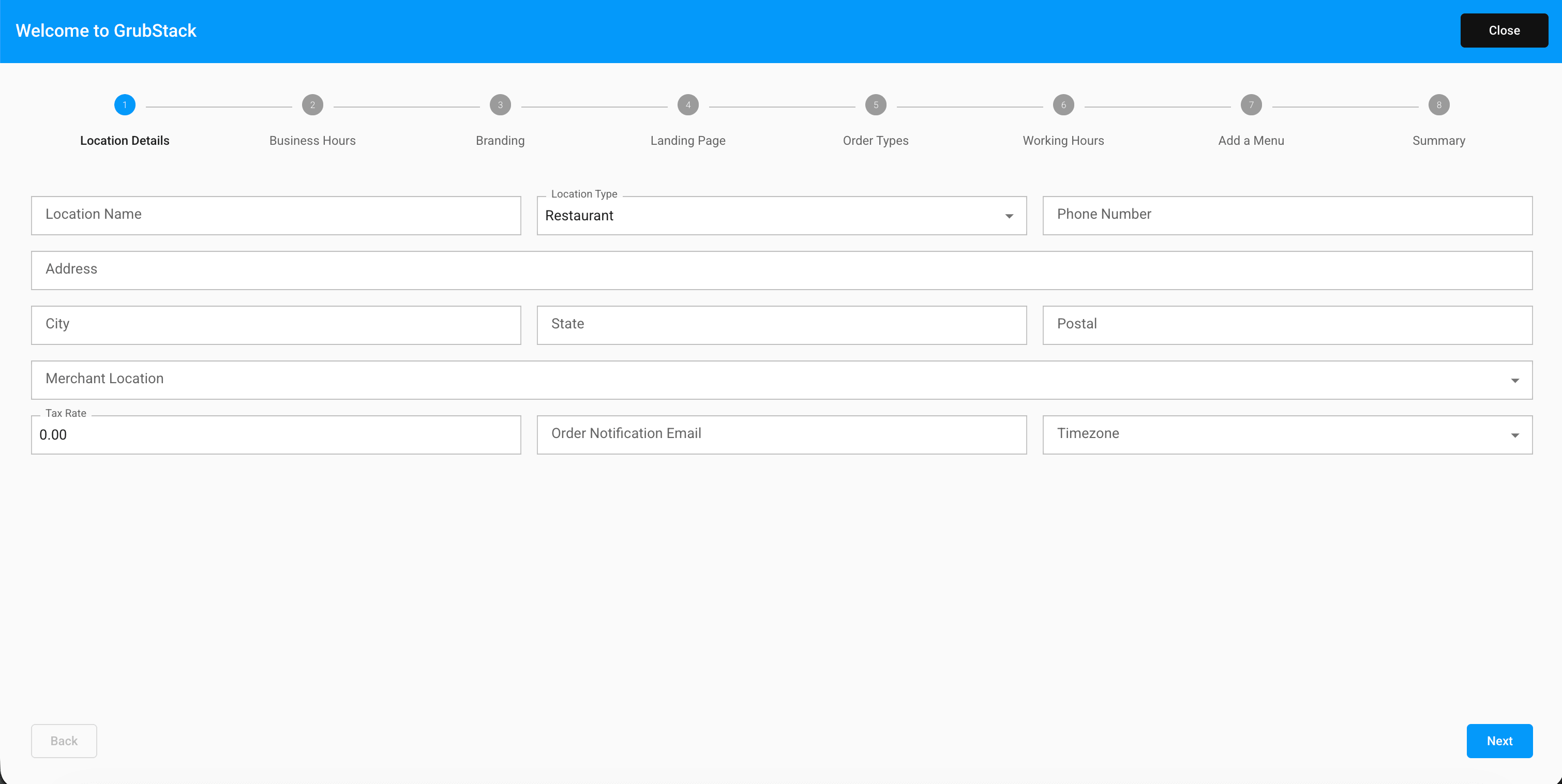
The Setup Wizard is a guided, step-by-step flow that walks you through configuring your first restaurant location. It appears automatically the first time you sign in — specifically, whenever your account has no locations yet, or you haven't completed the wizard before.
The steps
- Location Details — name, address, phone number, tax rate, and timezone
- Business Hours — your default operating hours
- Branding — logo, colors, and social links
- Landing Page — the intro text shown on your storefront's homepage
- Order Types — enable Pickup and/or Dine-In
- Working Hours — hours for each order type you enabled
- Add a Menu — create your first menu
- Summary — review everything before it's created
Finishing up
On the final step, click Finish Setup to create your location, menu, and all the settings you configured — this can take a few seconds since it's setting up several things at once.
If you close the wizard before finishing, it will appear again the next time you sign in, since it only marks itself complete once you finish the final step.
Everything configured in the wizard can be changed later from the Restaurant and Products sections of your dashboard.